AI video for restaurants: turn dish photos into menu reels and delivery-app clips
Upload one dish photo; the template runs on VEO 3.1 Lite with sound for 5 credits, and the price is shown before you generate.
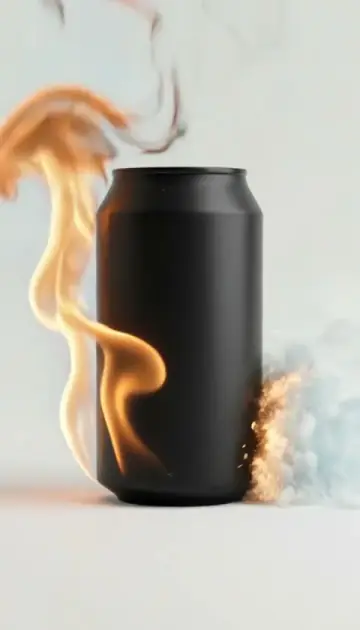
Animate a dish with Sizzle Close-UpRestaurants, cafés, bakeries and food trucks rarely have time to film video for every dish. AI image-to-video turns the photos you already have into short moving clips for Reels, TikTok, Stories, your website and in-store screens. This guide covers what to animate (and what never to), the food templates, prompts by dish type, how to turn single clips into a menu reel, and the rules of delivery platforms. For the general technique, see the image-to-video guide. The workflow, templates and current prices are also on one page: restaurant and food promo videos.
The one rule: animate the real dish, don't invent it
A text-to-video model will happily generate a "juicy double cheeseburger," but it will be a burger you don't sell, with a bun, portion and toppings that customers will compare with what arrives. That creates complaints, refunds and, for chains and regulated claims, legal risk.
Image-to-video is different: your photo is the first frame, and the model only adds motion. That's still not risk-free, because a model can add steam to a cold dessert, extra cheese or a garnish you don't use, so every clip has to be checked against the plate (checklist below). But it keeps the food honest by default.
Keep text-to-video for things that aren't a menu item: an atmospheric opener, a stylised "coming soon" teaser or an abstract background behind your logo, clearly not a product shot.
Photograph the dish for animation
You don't need a studio. You need a photo the model can read:
- Vertical (9:16 or 4:5). In image-to-video the clip takes the shape of the photo, so a vertical photo becomes a vertical Reel without cropping.
- Daylight from a window, from the side. Side light shows texture, which is what makes steam and glaze look real once they move.
- The plate fills most of the frame, with a little space around it for the camera to move.
- A plain table and one or two props, such as cutlery or a drink. Busy backgrounds give the model more to warp.
- Shoot it hot and fresh. Melted cheese, gloss and steam in the photo are far more convincing than steam the model has to invent.
- No menu text or prices in the photo. Add them later in your editor, where they stay sharp.
Food templates that work from one photo
Viralance's one-photo templates need no prompt: upload the photo and generate. The food and drink ones:
| Template | What it does | Model, length | Credits |
|---|---|---|---|
| Sizzle Close-Up | Steam, melt and sizzle, slow glide around the dish, sizzle sound | VEO 3.1 Lite, 8 s, with sound | 5 |
| Ice Cold | Ice cubes, frost and condensation around a drink | Kling 3.0 Standard, 5 s, with sound | 8 |
| Slow Pour | A slow-motion pour into a glass beside the product | VEO 3.1 Lite, 8 s, with sound | 5 |
| Kitchen Morning | Sunny counter, a steaming mug, slow push-in | VEO 3.1 Lite, 8 s, with sound | 5 |
| Ingredient Splash | Fruit slices, leaves and droplets splash around the product | Hailuo 2.3, 6 s | 3 |
Sizzle Close-Up is built for burgers, pizza, street food and restaurant menus; Ice Cold and Slow Pour suit bottled and canned drinks, juices and iced coffee; Kitchen Morning suits coffee, tea and bakery items; Ingredient Splash suits juices and fresh, fruit-led products. Check the result carefully on templates that add elements (melted cheese, a pour, ingredients): if your dish doesn't have them, write your own prompt instead.
Prompts by dish type
For full control, use image-to-video, upload the dish photo and describe only motion. End every prompt with what must stay the same.
Hot main course (pasta, curry, ramen, steak):
Gentle steam rises from the dish, slow cinematic push-in at table height, warm side light. Keep the plate, portion, ingredients and garnish exactly as shown. No hands, no text.
Burger or sandwich:
Slow camera glide around the burger at eye level, light steam rising, sesame seeds catching the light. Keep the bun, patty, toppings and size exactly as shown. No added cheese or sauce. No text.
Pizza:
Slow top-down rotation of the pizza on the wooden board, a little steam rising from the cheese. Keep every topping exactly where it is. No text.
Dessert or pastry:
Very slow push-in on the cake slice, soft daylight, a few crumbs on the plate stay still. Keep the layers, frosting and decoration exactly as shown. No steam, no text.
Coffee or tea:
Steam curls up from the cup, the latte art stays intact, slow push-in, morning light from the window. Keep the cup, saucer and latte art unchanged. No text.
Cocktail or cold drink:
Condensation droplets slide slowly down the glass, ice shifts slightly, a gentle light sweep across the glass. Keep the garnish, glass and color of the drink unchanged. No text.
Good starting models: Hailuo 2.3 (6 s, 3 credits at 720p, no sound) for the cheapest tests and smooth camera moves; VEO 3.1 Lite (4, 6 or 8 s for 3, 4 or 5 credits at 720p) when you want ambient sound like sizzling or clinking; Kling 3.0 Standard (from 8 credits) when detail matters more. Short prompts fail more often, so write a full sentence or two (why image-to-video fails).
Check every clip against the plate
Before a clip goes anywhere, compare the last frame with the photo and the real dish:
- Same portion size? Nothing looks bigger than what you serve.
- Same ingredients and garnish? No added cheese, sauce, herbs or toppings.
- No new items on the table, such as extra plates or drinks you didn't order in.
- Steam only on hot food, condensation only on cold drinks.
- Logos, cup prints and packaging not rewritten into nonsense.
- No added people or hands (an invented hand with six fingers is the fastest way to look fake).
If a clip fails, regenerate it with a smaller motion, or drop that photo. Failed generations are refunded automatically; clips you reject are not, so test on one dish first.
From single clips to a menu reel
Viralance produces one clip per generation and has no timeline editor. To make a 15–30 second menu reel:
- Generate one clip per dish and download them from My Videos.
- Order and trim them in Instagram's or TikTok's editor, or CapCut: 2–3 seconds per dish, hard cuts on the beat.
- Add dish names and prices as text in the editor. AI-generated text and numbers are unreliable.
- Add a voiceover (optional). Write a short script ("Three new autumn plates, here this week only...") and generate it in Voiceover: 1 credit per 500 characters, 2-credit minimum (voiceover guide).
- Captions for spoken reels: export the reel, then burn in captions with Subtitles on Edit Video for 3 credits (subtitles guide).
- Logo and end card: save them in Brand Kit and apply them to the finished video (2 credits per render).
Example cost for a 10-dish menu reel: ten Hailuo 2.3 clips at 3 credits (30), a 2-credit voiceover and 3 credits of subtitles come to 35 credits, which fits in the 70-credit Plus pack ($19) with room for retries; using Sizzle Close-Up for every dish instead makes the clips 50 credits. Packs are one-time purchases with no subscription and credits never expire (pricing). New verified accounts get 6 free credits, enough to test two dishes.
Delivery apps: keep real photos on the listing
Delivery platforms are strict about menu images. DoorDash's merchant photo guidance lists images that appear AI-generated or are heavily modified so they no longer represent the actual menu item as a reason to reject a photo, and it asks that photos show exactly what the customer will receive (DoorDash merchant help). Other apps have similar rules, and some are experimenting with short video in their apps, under their own requirements.
What that means in practice:
- Use real, unaltered photos as your delivery-app menu images.
- Use AI-animated clips where you control the channel: Instagram, TikTok, Facebook, YouTube Shorts, your website, Google Business Profile posts and in-store screens.
- If an app invites video for your listing, read its current merchant guidelines first, and only submit clips that show the dish exactly as served.
Honest marketing for food
- Don't change what's in the dish. Menu descriptions and images that misstate ingredients can mislead customers with allergies, not just disappoint them.
- Label AI where platforms ask. TikTok requires a label on realistic AI-generated content (TikTok Support); a caption line such as "Motion added with AI to our real photos" is enough for most audiences.
- Avoid fake customers. Don't generate diners raving about a dish. Use real reviews with permission, or let the food speak.
Ideas that suit restaurants
- New-dish teaser: one clip, posted the day before launch.
- Daily special: photograph it at lunch, post the clip before dinner service.
- Drinks menu reel: Ice Cold and Slow Pour clips for each cocktail or soft drink.
- Seasonal menu: autumn or holiday dishes on a festive table; the seasonal templates add snow, lights and gift wrapping around a product photo.
- Catering and events: a slow push-in over a full platter, used in emails and on your booking page.
For more short-form formats, see the AI TikTok video guide and the Instagram Reels guide.
Frequently asked questions
Can AI make a video from a photo of my food? Yes. Upload the dish photo to an image-to-video model or a food template and describe small motion such as steam or a slow camera move. Keep the dish unchanged and check each clip against the real plate.
Is it OK to use AI food videos on DoorDash or Uber Eats? Use real photos for delivery-app menu images. DoorDash's merchant help rejects images that look AI-generated or don't represent the actual item. Post AI-animated clips on your own social channels and website instead.
How much does an AI food video cost? On Viralance, from 3 credits for a 6-second Hailuo 2.3 clip; the Sizzle Close-Up template is 5 credits. A ten-dish menu reel with voiceover and captions is about 35 credits.
Should I generate food from a text prompt? Not for menu items. A text-to-video dish isn't the dish you serve. Use text-to-video only for clearly non-product shots such as an abstract opener or background.
What size should a menu reel be? Vertical 9:16 for Reels, TikTok and Shorts. Shoot the photos vertically and the clips will come out vertical too.
Can Viralance post the videos to my accounts? No. Download the clips and upload them in each app.