AI Video Background Changer: Put Your Clip in a New Scene
Upload a 3–15 second clip, describe the new background, and Kling Edit rebuilds the scene behind your subject while keeping the person, their movement, the camera and the original sound. It costs 2 credits per second, so a 10-second clip is 20 credits.
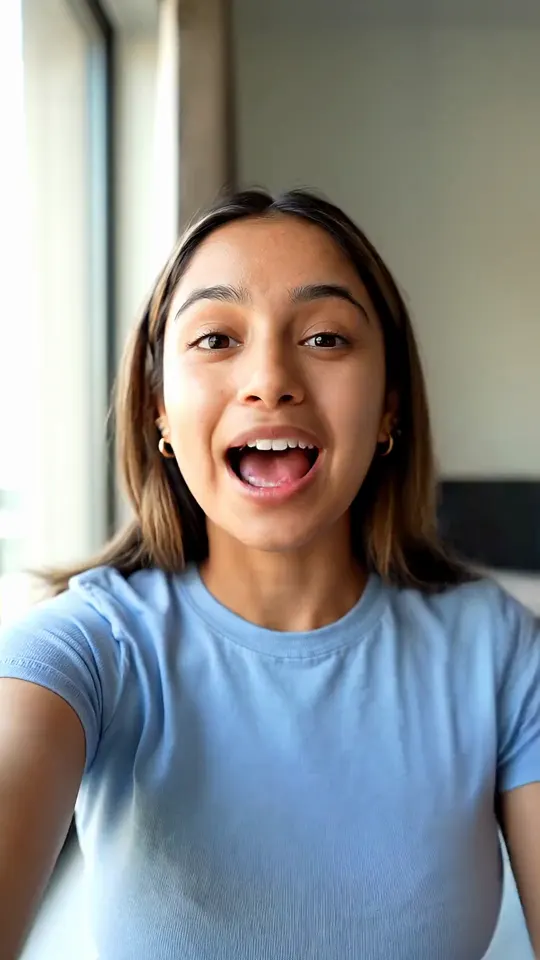
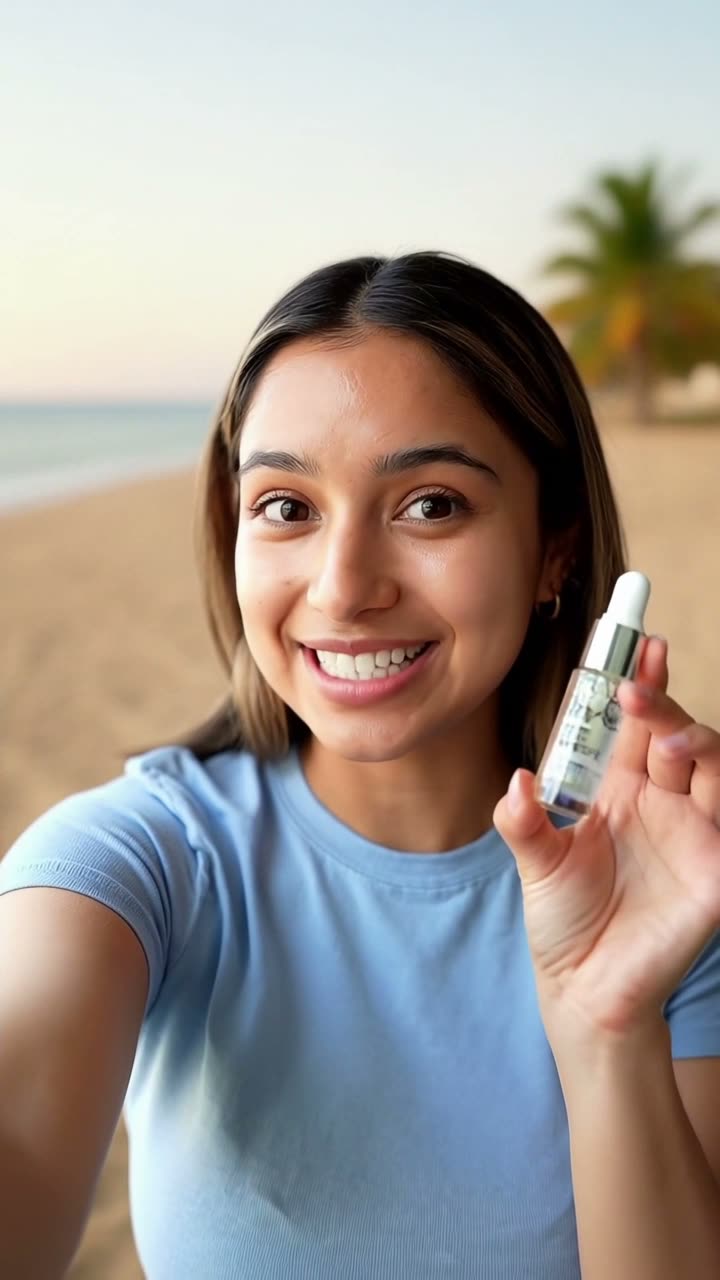
AI Video Background Changer in short
To change a video's background with AI, upload a 3–15 second clip to Kling Edit on Viralance and describe the new scene. It keeps the person, their movement, the camera and the original audio, and costs 2 credits per second (a 10-second clip is 20 credits) with no subscription.
- Price
- 2 credits per second, minimum 6 credits
- Source length
- 3 to 15 seconds
- Source size
- 720 to 3840 pixels per side, up to 50 MB
- Input
- A text description of the new background
- Kept from the original
- Subject, motion, camera move and audio
- Model
- Kling O3 video-to-video edit
- Payment
- One-time credit packs, no subscription
How AI Video Background Changer works
- 01
Upload the clip
Add a video of 3 to 15 seconds, at least 720 pixels on its short side and up to 50 MB. No green screen or mask is needed; a clip shot on a phone in a normal room works.
- 02
Describe the new background
Write what should be behind the subject, for example “a sunny beach at golden hour, ocean softly out of focus”, and say what must stay the same. Naming the subject, their clothes and anything in their hands helps the model leave them alone.
- 03
Kling Edit rebuilds the scene
The model rewrites the background across the whole clip and follows the original camera move, so the new scene moves with the shot instead of sitting behind it like a flat picture. The original audio is kept.
- 04
Download the result
The price is shown before you start: 2 credits per second of source video, with a 6-credit minimum. A failed job is refunded.
Why creators use it
- Changes the background from a text prompt, with no green screen, mask or keyframes
- Keeps the subject, their movement, the camera move and the original audio
- The new scene follows the camera, so handheld and moving shots still look like one take
- Priced by length: 2 credits per second, shown before you start
- The same tool also changes weather, time of day, outfits and objects from a prompt
- One-time credit packs with no subscription
Use cases
- Move a product review or UGC clip filmed at home into a studio, a café or an outdoor scene
- Make several versions of one ad with different locations for A/B tests
- Match a clip's setting to a season or a campaign without filming again
- Fix a distracting or messy background in an otherwise good take
Frequently asked questions
How do I change the background of a video with AI?
Upload a 3–15 second clip to Kling Edit on Viralance, describe the new background in a sentence, and start the edit. The model replaces the scene behind your subject and keeps their movement, the camera and the sound. It costs 2 credits per second of video.
Do I need a green screen?
No. Kling Edit works on ordinary footage. It reads the clip, separates the subject from the scene on its own and generates the new background to match the camera move.
How much does it cost to change a video background?
2 credits per second of source video with a 6-credit minimum: 10 credits for 5 seconds, 20 for 10 and 30 for 15. Credits come from one-time packs, and there is no subscription.
How long can the video be?
Between 3 and 15 seconds per edit, at least 720 pixels on the short side, up to 3840 pixels on the long side and up to 50 MB. For a longer video, cut it into parts and edit each one.
Does it keep the original sound?
Yes. The edit changes the picture and puts the original audio back on the result, so speech and music stay in place.
What if I only want the background removed?
Use the Video Background Remover instead. It returns the subject on a transparent background that you can place over anything in an editor.
Can it change other things than the background?
Yes. Kling Edit follows any written change: weather, season, time of day, an outfit, or an object in the scene. Videos of real people need the consent of the people shown, and public figures are not allowed.