E-commerce
Product videos from photos
Turn product photos into short videos with AI. Upload a photo, describe the motion (or pick a one-click template), and download an MP4 for your store, ads and Reels.
Browse all one-click templates, see credit pack pricing, or read the image-to-video guide.
Product templates in motion
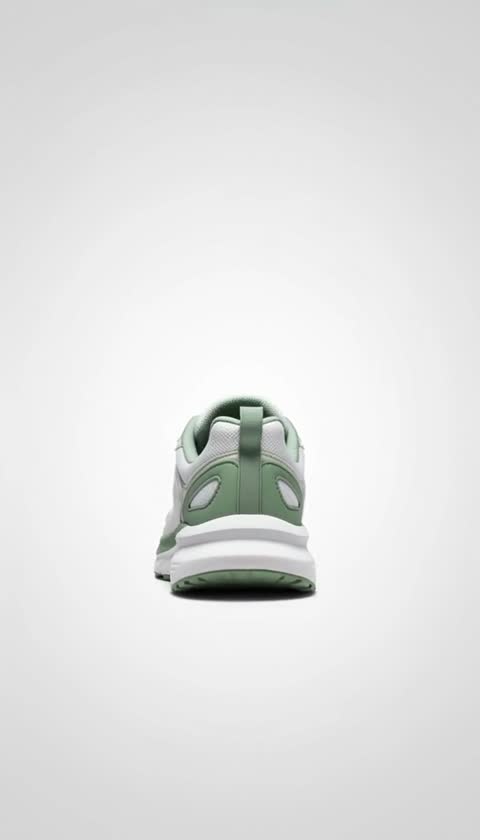
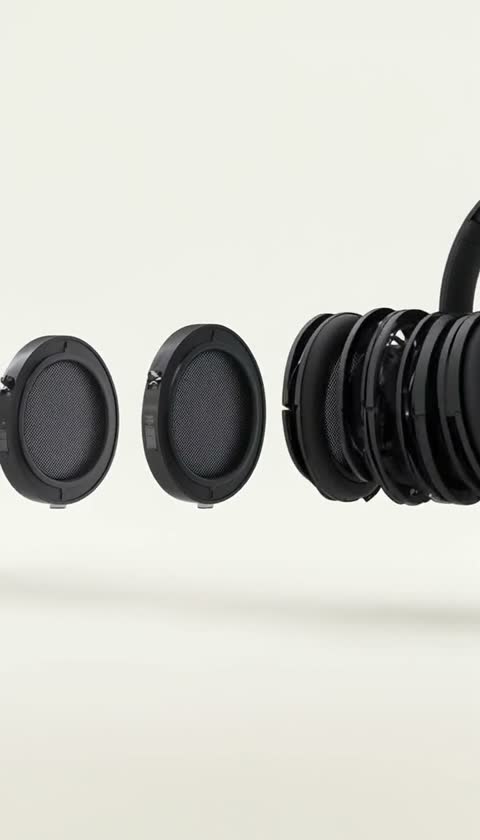
Recorded examples of one-click product templates. One photo in, a product clip out.


Why e-commerce brands use AI video
AI product clips cost a few credits each (from 4 credits for a 6-second Hailuo 2.3 clip) and most finish in about 2-4 minutes, so you can test several motions per product before picking one.
30% Higher Conversion Rates
Product pages with videos convert 30% better than image-only pages. Show products in motion to build trust and engagement.
Save $500-$5000 Per Video
Skip expensive photoshoots and videographers. Turn existing product photos into videos in minutes for just a few credits.
5X Better Social Engagement
Video content gets 5x more engagement on Instagram, TikTok, and Facebook compared to static images. Stand out in crowded feeds.
90% Lower Production Time
Create product videos in 1-3 minutes vs days of traditional production. Test multiple variations quickly and iterate fast.
Recommended models
Use Hailuo 2.3 (4 credits for 6s) or VEO 3.1 Lite (from 3 credits, native audio) for high-volume catalog clips, VEO 3.1 Fast (6-12 credits) for product showcases, and Kling 3.0 Pro (10-28 credits) for cinematic hero shots.
Vidu Q3 Turbo
Most AffordableBest for High-Volume
- From 2 credits per video
- Perfect for large catalogs
- Fast 45-60s generation
- Test multiple products
VEO 3.1 Fast
RecommendedBest for Premium Products
- 720p & 1080p quality
- Professional results
- Natural product motion
- 6–12 credits per video
Wan 3.0
Best for Natural Motion
- Native audio
- 5-15 second videos
- Great for lifestyle
- 4–38 credits per video
Kling 3.0 Pro
Best for Hero Products
- Cinematic 1080p quality
- Premium brand videos
- Up to 12 seconds
- 10-15 credits per video
One clip, every channel
Download an MP4 and use it on your product pages, marketplace listings, social ads and emails. Choose vertical, square or wide at generation time.
Product Page Videos
Replace static images with engaging videos. Show 360° rotations, zoom details, or products in use. Increase time on page and conversions.
Social Media Ads
Create scroll-stopping video ads for Facebook, Instagram, and TikTok. Test multiple variations without additional photoshoots.
Amazon & Marketplaces
Stand out on Amazon, Etsy, and eBay with video listings. Higher visibility in search and better click-through rates.
Email Marketing
Boost email open rates and clicks with animated product previews. Show new arrivals, bestsellers, or sale items dynamically.
Shopify Stores
Easily add videos to product pages, collections, and homepage. Perfect for dropshipping and print-on-demand stores.
Product Launches
Generate hype for new products with teaser videos. Create countdown content and reveal videos from product photos.
Video ideas by product category
Fashion brands use spinning and floating animations, electronics benefit from 360-degree rotations, jewelry shines with light-reflection effects, and furniture looks best with room-scene camera pans.
Fashion & Apparel
- Model wearing product with slow zoom
- Clothing item floating/spinning in air
- Fabric texture close-up with movement
- Multiple angles of the product
Electronics & Gadgets
- 360° rotation showing all angles
- Zoom into key features and details
- Product lighting up or turning on
- Sleek pan across the product
Jewelry & Accessories
- Sparkling effect with light reflection
- Close-up zoom revealing details
- Elegant rotation on display
- Multiple pieces showcased together
Home & Furniture
- Room scene with camera pan
- Product in lifestyle setting
- Close-up of texture and material
- Before/after transformation
What a product clip costs
- Hailuo 2.3, 6s 720p
- 4 credits (~$1.20)
- VEO 3.1 Lite, 8s 720p (audio)
- 5 credits (~$1.50)
- PixVerse V6, 5s 720p
- 4 credits (~$1.20)
- VEO 3.1 Fast, 8s 1080p (audio)
- 12 credits (~$3.60)
- Kling 3.0 Pro, 5s 1080p (audio)
- 10 credits (~$3.00)
Dollar amounts use the $9 Mini pack; larger packs cost less per credit. See pricing. The exact cost is shown before each generation, and failed generations are refunded automatically.
Frequently asked questions
Which model suits a large catalog, which aspect ratio to use, and what a clip costs.
Why use AI product videos in e-commerce?
A short clip shows a product in motion (a turn, a pour, a texture close-up) that a still photo cannot, and it gives you vertical footage for Reels, TikTok and ads without a shoot. Whether it lifts sales for your store is something to measure with your own A/B test; Viralance does not promise a conversion lift.
Can I create videos from my existing product photos?
Yes. Upload a product photo (JPG, PNG or WebP), describe the motion you want (slow push-in, turn, float) and an image-to-video model animates it. Clean, well-lit photos with a clear subject work best. Most clips finish in about 2-4 minutes. Always check labels and small text in the result, since AI can alter fine details.
Which model is most cost-effective for large product catalogs?
For volume, budget models keep costs low: Hailuo 2.3 is 4 credits for a 6-second 720p clip, VEO 3.1 Lite is 3 credits for 4 seconds at 720p with native audio, and PixVerse V6 is 4 credits for 5 seconds at 720p. On the $9 Mini pack (30 credits) a 4-credit clip costs about $1.20. Credits are one-time and never expire.
Is there a no-prompt option for product videos?
Yes. One-click templates such as Product Hero, Unboxing Reveal and 360 Hero Spin take one product photo and apply a tuned scene and motion prompt. See every ad template with example videos at /ad-templates; each shows its model and credit cost before you run it.
What types of product motion work best?
Slow push-ins, gentle turns, floating or spinning, a camera pan across the product, and simple lifestyle scenes are reliable starting points. Fast, complex motion is more likely to distort the product. Test a couple of motions on one product before running a whole catalog.
Can I use the videos on Amazon or Shopify?
You download a standard MP4 and upload it to your store yourself; Viralance does not publish to marketplaces. You own the videos you generate (model providers' terms also apply). Check each marketplace's own video rules before uploading.
How much does it cost compared to traditional product videography?
On Viralance you pay per clip in credits: from 4 credits for a 6-second Hailuo 2.3 clip, 8 for a 6-second 720p VEO 3.1 Fast clip, and 10-28 for Kling 3.0 Pro. That is about $1.20-$8.40 per clip on the Mini pack and less on larger packs. AI clips are not a like-for-like replacement for a professional shoot; they are best for fast variations and testing.
What video aspect ratio should I use for e-commerce?
It depends on the placement: 1:1 (square) suits feeds and many product pages, 9:16 (vertical) suits Reels, TikTok and Stories, and 16:9 suits YouTube and websites. Each aspect ratio is a separate generation.
Can I show products in different settings or backgrounds?
Yes. With text-to-video you describe the scene ("luxury watch on a marble table, soft light"). With image-to-video you animate your existing photo, so the setting mostly stays the same. To change the setting first, create a new product scene image in My Products, then animate it.
How long should product videos be?
Short clips of 4-8 seconds cover most product pages and ads. Models run from 4 seconds (VEO 3.1) up to 15 seconds (Kling 3.0, Seedance 2.0) or 30 seconds (Seedance 2.5), and a finished clip of 8 seconds or less can be extended once by about 7 seconds.