AI Video Generator for E-commerce: Product Videos From One Photo (2026)
Choose your settings and review the credit cost before generating.
Create your first videoFor online stores, the practical value of AI video is volume: one approved product photo can become several short clips — a slow push-in, a lifestyle scene, a UGC-style ad — that you can test without booking a shoot. This guide covers the formats that fit, the real per-clip costs, and where AI product video still falls short. To start making them, see the ecommerce product videos page: product templates, recommended models and per-clip costs in one place.
Why e-commerce teams use AI video
Short vertical video is the default ad format on TikTok, Reels and Shorts, and many stores now add a looping clip to product pages. Traditional production — a shoot, an editor, re-shoots for every variation — is slow for a catalog that changes often.
An AI video generator lets you turn product photos you already own into motion content on demand, test several versions, and only spend more on the direction that performs in your own campaign data. It does not replace a shoot when you need to show exact product function, sizing on a real body, or anything the photo doesn't already show.
Product video formats that work from a photo
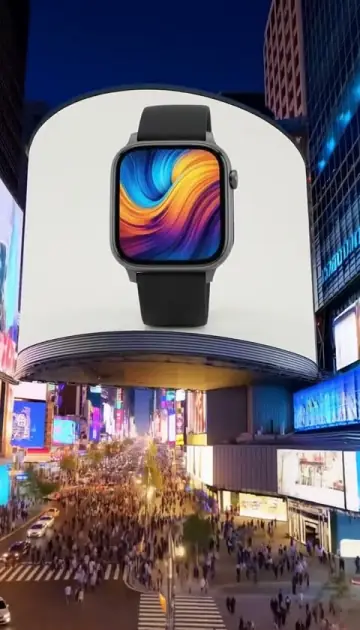
- Push-in or slow orbit — a small camera move around the product, for product pages
- Lifestyle scene — the product placed in an everyday setting
- UGC-style ad — a creator-style clip for paid social (see the UGC ad guide)
- Feature highlight — a slow move toward one visible detail
- Before/after — only when the transformation is real and you can substantiate it; AI footage is not evidence of results
How to make a product video on Viralance (step by step)
- Open Create and select Image to Video, then upload your product photo (a clean, well-lit shot on a plain background works best).
- Describe the motion — "slow camera push-in toward the product, soft studio light, product stays still and unchanged."
- Pick a model, length and resolution. The editor shows the credit cost before you generate.
- Pick the aspect ratio — 9:16 for Reels/TikTok/Shorts ads, 16:9 for YouTube and wide product-page players. VEO models offer 9:16 and 16:9; Kling 3.0 and Seedance also offer 1:1.
- Review and download. Check the label, logo and proportions against the original photo. Add captions if you need them with the Subtitles tool on Edit Video (3 credits), then upload the file to your store or ad account yourself — Viralance does not publish or schedule posts.
For a guided ad flow with ready-made formats (Testimonial, Unboxing, Product Demo, Faceless and more), use the UGC Ad Studio instead (formats and examples). For no-prompt product clips, start from a one-photo template such as Product Hero, 360 Hero Spin or Unboxing Reveal; the template gallery lists them all with their costs.
Instagram posts and Reels for an online store
Instagram is where many stores post product clips first, so plan the format before you generate:
- Reels and Stories: generate in 9:16, the default format on every model in the studio.
- Square feed posts: generate in 1:1 on a model that supports it (Kling 3.0, Seedance, Wan 3.0, MiniMax H3, Vidu Q3 Turbo), or generate once in 9:16 and use Reframe to make a 1:1 or 16:9 copy of a clip up to 10 seconds, so one generation covers Reels, the feed and a product page.
- Captions: most Reels are watched without sound, so add burned-in captions with the Subtitles tool (3 credits) and keep the product name in the first frame.
- Cadence: a store posting several Reels a week needs variations, not one perfect clip. Run the same photo with two or three motion prompts on a cheap model first (VEO 3.1 Lite at 3 credits), then re-render the best one at 1080p.
For a store that has to post Reels several times a week without filming, see the AI Instagram Reels generator guide.
AI video production for e-commerce brands at catalog scale
For a brand with dozens or hundreds of products, the cost is per clip, not per shoot. A 6-second 1080p Hailuo 2.3 clip is 5 credits, so 100 products at one clip each is 500 credits, covered by the $149 Pro pack (770 credits). Keep each product's best photo, one approved motion prompt per product type (orbit for bottles, push-in for jewelry, lifestyle scene for apparel) and the model that rendered it cleanly, so a new product gets the same treatment. Seasonal pushes work the same way: see Black Friday and holiday product video ads with AI.
Motion prompts for product videos
- Push-in — "gentle dolly-in toward the product, shallow depth of field, product unchanged"
- Orbit — "slow partial orbit around the product, soft studio light, clean background"
- Float — "product floats and rotates slowly on a gradient background"
- Lifestyle — "product on a kitchen counter, morning light, subtle camera drift"
Large rotations ask the model to invent the back of the product, which it has never seen. If exact appearance matters, prefer small camera moves.
What does it cost? Real credit math
Image-to-video prices from Viralance's current price table (720p unless noted):
| Model | Clip | Credits | ≈ Mini ($0.30/cr) | ≈ Business ($0.181/cr) |
|---|---|---|---|---|
| VEO 3.1 Lite | 4s | 3 | $0.90 | $0.54 |
| Vidu Q3 Turbo (540p) | 5s | 2 | $0.60 | $0.36 |
| Kling 3.0 Standard (1080p) | 5s | 8 | $2.40 | $1.45 |
| Kling 3.0 Pro (1080p) | 5s | 10 | $3.00 | $1.81 |
| VEO 3.1 Fast | 8s (photo input is 8s only) | 12 | $3.60 | $2.17 |
| Seedance 2.0 | 5s | 12 | $3.60 | $2.17 |
Packs are one-time purchases from $9 (30 credits) to $299 (1,650 credits), with no subscription and no expiry. New accounts get 4 free credits after email verification — enough for one 4-second VEO 3.1 Lite test. See pricing.
Which model for which job?
- VEO 3.1 Lite — cheapest way to test whether a photo animates cleanly
- VEO 3.1 Fast — clean, believable motion with native audio; photo input is 8 seconds
- Kling 3.0 Standard / Pro — 1080p output and 1:1 support for product pages
- Seedance 2.0 — lifestyle scenes and talking UGC-style clips
- Vidu Q3 Turbo — very low cost per test when you want many rough variations
These are starting suggestions. Run the same photo and prompt through two models on short clips before committing to longer ones.
Frequently asked questions
Can I make product videos from just a photo? Yes — upload a product image in Image to Video and describe the motion. Review the result closely: small labels, text and hidden surfaces can change.
Which platforms are the videos for? Generate 9:16 for TikTok, Reels and Shorts ads, and 16:9 (or 1:1 on models that support it) for product pages and YouTube. You upload the finished file yourself.
How much does it cost? From 2–3 credits for a short test clip to 12 credits for an 8-second VEO 3.1 Fast photo clip. New accounts start with 4 free credits; packs start at $9 with no subscription.
Can I make Instagram posts and Reels for my store with it? Yes. Generate in 9:16 for Reels and Stories, use 1:1 on Kling 3.0, Seedance or Wan 3.0 for square feed posts, or reframe a 9:16 clip into 1:1. Add captions with the Subtitles tool, then post the file from your own Instagram account.
Do I own the videos? Viralance's terms state that you retain ownership of the videos you generate and that Viralance does not claim ownership. Output is also subject to the underlying model providers' terms, and you need the rights to the product photo, logos and any people you depict.
How fast is it? It depends on the model and queue. Plan for minutes, not seconds, and don't schedule a launch around an assumed turnaround.
Keep going — related questions
- What's the ROI of e-commerce video marketing?
- How do I make AI UGC video ads?
- How do I turn a product photo into a video?
- How do I plan three shots from one product photo?
Turn a product photo into video. See ecommerce product videos on Viralance, or create a free account, upload a product photo, and test a 3-credit VEO 3.1 Lite clip before choosing a bigger model.