How to Make AI UGC Video Ads: A Practical Production Guide (2026)
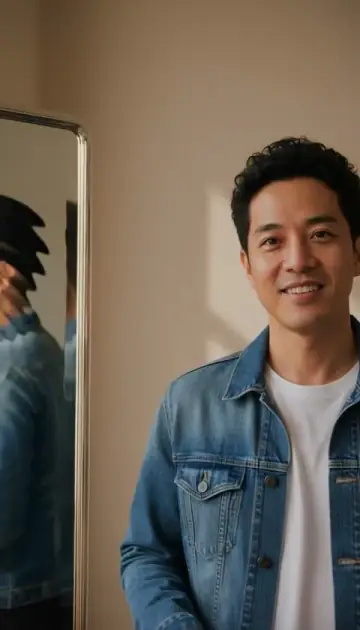
An AI UGC-style ad borrows the visual language of creator footage: a product in a familiar setting, a person explaining an idea, or hands demonstrating an action. It is generated content, not proof that a real customer used or recommended the product. This guide walks through one small production job in Viralance's UGC Ad Studio, then a controlled revision.
Prepare your product brief and review the generation cost in the studio.
Plan your product adPrepare a brief that the model can follow
Write four short lines before opening the studio:
- Product: the object and the details that must remain recognizable.
- Audience: the person who needs the product and the relevant situation.
- Action: one visible demonstration, rather than a list of benefits.
- Message: one truthful line that the finished video should support.
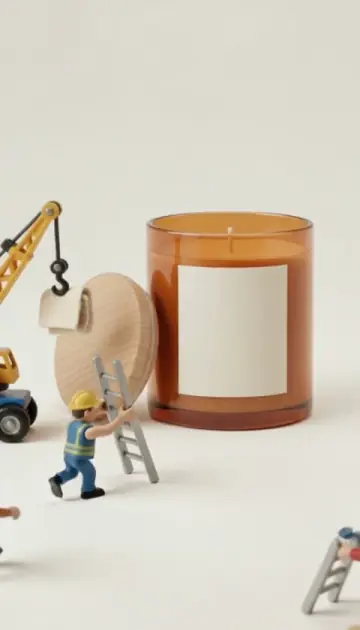
For example, a candle ad could show a jar on a side table, a hand lighting the wick, and a still close-up. That demonstrates an action without inventing a buyer's experience, a safety claim or a promise about the fragrance's effect.
Choose presenter or faceless footage
The studio's ten formats are Testimonial, Unboxing, Product Demo, Before / After, Lifestyle, Problem → Solution, GRWM, Tutorial, Comparison and Faceless. They group into four practical styles:
| Style | Good starting brief | Common review issue |
|---|---|---|
| Presenter (Testimonial, GRWM, Tutorial) | Introduce one product feature in a short line | Pronunciation, delivery and unnatural hand motion |
| Hands-only (Faceless, Product Demo) | Perform one simple action with the product | Fingers, contact with the object and label distortion |
| Product hero (Unboxing, Comparison) | Show a clear product with a small camera move | Shape changes, reflections and moving text |
| Lifestyle (Lifestyle, Before / After, Problem → Solution) | Place the product in a specific everyday setting | Background objects distracting from the product |
Watch the existing examples, then choose a format suited to your source image. Those demonstrations show possible styles, not a promise that your generation will reproduce an identical clip. For a product shot without a presenter, the one-photo templates (for example Product Hero) are a quicker starting point.
Build one draft in Viralance
- Open the UGC Ad Studio.
- Choose the format and add a product photo or a product name/description.
- Write a short hook, or click AI hooks (1 credit) for suggestions.
- Select the model, length and number of Variations (1–3), and check the credit total.
- Click Generate UGC ad (or Generate 2/3 variations).
- Watch the result with sound and inspect it frame by frame where the product is handled.
Current per-clip prices in the studio:
| Model | Lengths | Credits (text start) | Credits (photo start) |
|---|---|---|---|
| Seedance 2.0 (recommended, 720p) | 5 / 10 / 15s | 12 / 24 / 36 | 12 / 24 / 36 |
| VEO 3.1 Fast (720p) | 4 / 6 / 8s | 6 / 8 / 12 | 8s only: 12 |
| Kling 3.0 Pro | 5 / 10 / 15s | 10 / 18 / 28 | 10 / 18 / 28 |
Each variation is a separate job, so three 5-second Seedance variations cost 36 credits. Eligible new accounts receive 4 starter credits, which don't cover any clip in the UGC studio; the cheapest, a text-started 4-second VEO 3.1 Fast clip, is 6 credits, so you'd need a pack such as the $9 Mini (30 credits). If you only need a basic product movement test from a photo, the photo animation guide explains the regular editor, where VEO 3.1 Lite photo clips start at 3 credits.
A hook is a message, not a guarantee
Try a concrete opening such as “A smaller bottle for an already crowded bag” only when the claim matches the real product. Then show the relevant action. Avoid asking a synthetic presenter to claim personal experience, quote fabricated reviews or state results you cannot verify.
Keep approved labels, product facts and any required disclosure in your publishing workflow. Review your own rights to the source material and the platform's advertising requirements before running the asset as an ad. Viralance does not post or schedule ads; you download the file and upload it to your ad account yourself. See the Viralance terms for the service conditions.
Review before paying for more versions
Check the label and logo against the source image. Inspect the product's proportions, the way hands touch it, whether motion is continuous, and whether speech says what you intended. Listen for missing words or unwanted sound. A convincing first frame does not establish that the entire clip is usable.
A completed job spends credits even if you want a different creative direction. A failed job has a different status and applicable refund handling; see failed-generation refunds. Provider processing time varies, so do not schedule a launch around an assumed one-minute turnaround.
Prepare the second version from what you learned
Keep the same product and message. Change one thing: a closer opening, a simpler gesture or a calmer background. For supported completed text/photo jobs, use “Try a new opening” in the video library, then review the prepared draft and its cost. Reference-driven and edited jobs may need their original tool instead.
If your balance is too low, choose a pack that covers the next job. The smallest current web pack is 30 credits for $9; the largest is 1,650 credits for $299 ($0.18 per credit). Packs are one-time purchases with no subscription, and credits don't expire; the pricing page shows all packs. A first purchase made within 24 hours of signup gets a 5–15% bonus depending on the pack, and returning customers get +10% on every pack.
Frequently asked questions
Is AI UGC the same as a customer testimonial?
No. An AI-generated presenter or product scene is synthetic footage. It does not document a real customer's experience.
Is a video ready to publish as soon as it finishes?
Review the picture, sound, factual claims and required disclosures first. Generated labels and actions can be inaccurate.
How do I know which variation performs better?
Use actual campaign outcomes under comparable conditions. A creative feedback score or model choice alone cannot establish advertising performance.
Which guide should I use to choose a workflow?
The AI video ad maker overview compares starting inputs and review criteria. This guide is the production checklist once your first job is chosen.