Photo effect · family photos
Bring old photos to life
A scan of your grandparents’ wedding picture or a faded holiday snapshot becomes a few seconds of motion: color seeps in, eyes blink and a smile widens.
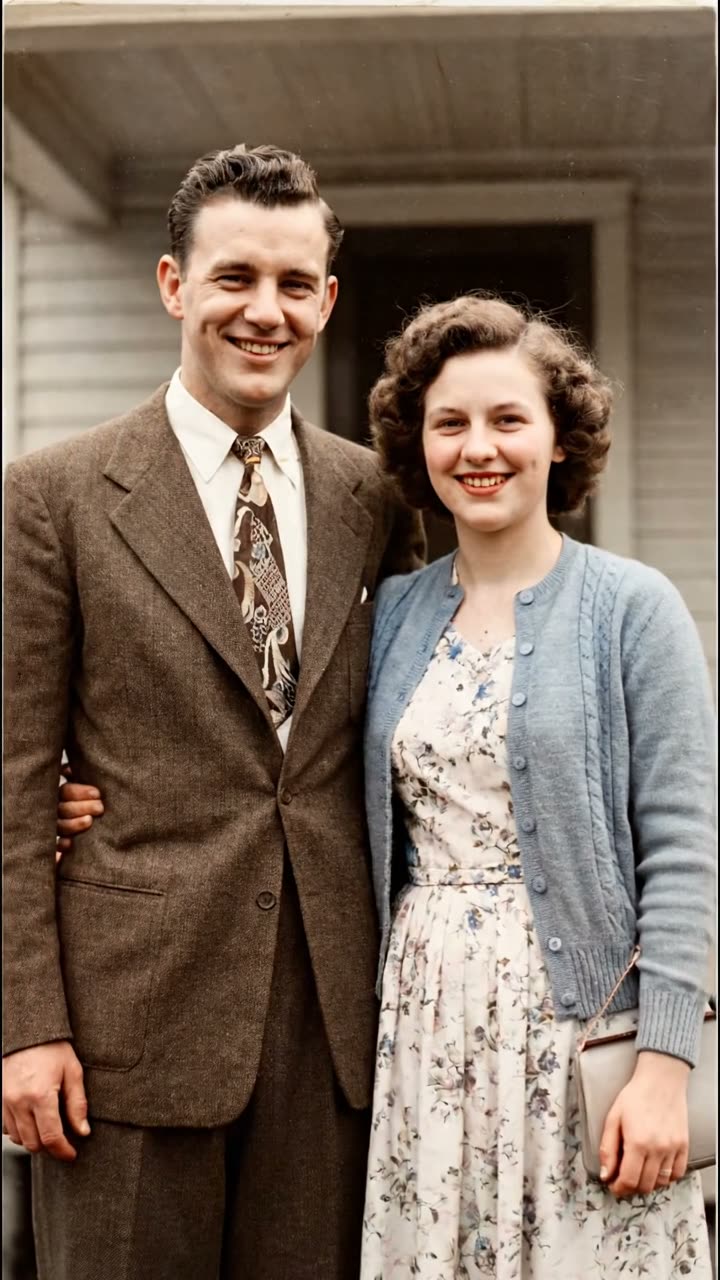 Made with VEO 3.1 Fast
Example made with VEO 3.1 Fast on AI-generated sample photos. The template runs on Hailuo 2.3 by default.
- Price
- 3 credits
- Model
- Hailuo 2.3
- Length
- 6s · 720p
- Like the example
- 12 credits
Old Photo Revive animates your scan directly, so the clip opens on the photo exactly as you uploaded it. Hailuo 2.3 then adds gentle color and small movements: breathing, blinking, a glance between the people in the picture. It does not invent a new scene and it does not make anyone talk.
The colors are an educated guess. A black-and-white print holds no color information, so the model picks plausible skin tones and fabrics. Treat the result as an imagined restoration to share with family, not as a historical record.
Getting a good scan
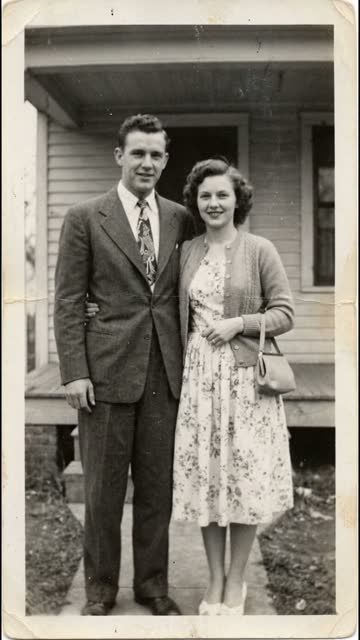
- Photograph or scan the print flat, in daylight, without glare from glass or an album sleeve.
- Crop away the album page, and the white border when the people are small.
- Portraits and small groups work best. Faces smaller than a fingernail on the print come out soft.
- Tears and deep scratches stay partly visible, so fix large damage first if you can.
Left: the sample photo the example started from.
How it works
- 1
Open Old Photo Revive
Sign in and open the Old Photo Revive template from Templates.
- 2
Upload the scan
Drop the scan or a phone photo of the print. Black-and-white, sepia and faded color prints all work.
- 3
Confirm you may use it
Tick the box confirming you have the right to use the photo and that the people in it would be fine with it.
- 4
Generate
One 6-second Hailuo 2.3 clip at 720p for 3 credits. It appears in My Videos when it is done.
Questions
Does it colorize black-and-white photos?
Yes, softly. The clip starts on your original and the color comes in during the first seconds. The tones are the model’s guess, since the print itself holds no color.
Will the people in the photo talk?
No. Old Photo Revive only adds color and small natural movements such as blinking, breathing and a smile. Nobody speaks.
Can I animate photos of relatives who have died?
Yes, that is what most people use it for. The consent box asks you to confirm you have the right to use the photo, so use your own family photos or ones the family shared with you.
How much does it cost?
3 credits for a 6-second Hailuo 2.3 clip at 720p with the default settings. The example on this page was made with VEO 3.1 Fast (12 credits), which you can pick in the template. Failed generations are refunded in credits.
Does it work on faded color photos too?
Yes. Faded 1970s and 1980s color prints get their color refreshed rather than invented, which usually looks even more natural than a black-and-white start.
More photo effects
 AI hug generator10 credits
 AI dance generator8 credits
 AI muscle generator3 credits
 AI aging video3 credits
Or browse all AI video templates.