Live now · through December 1
Black Friday video ads from one product photo
Price-tag reveals, doorbuster drops, unboxings and a Cyber Monday glitch. Upload a product photo, pick a format, and get a vertical sale ad for TikTok, Reels and Shorts.
3–8 credits a video. New accounts start with 4 free credits. Nothing is charged until you generate.



- November 27
- Black Friday
- November 30
- Cyber Monday
Every Black Friday template
Hover or tap a card to play it. Pick one, upload your photo and review the cost before anything is charged.
For your shop
9- Black Friday5 credits
 Starts from one photo.Price Tag RevealA giant SALE tag swings in next to your product
- Black Friday5 credits
 Starts from one photo.Black Box UnboxingA matte black box opens and your product glows inside
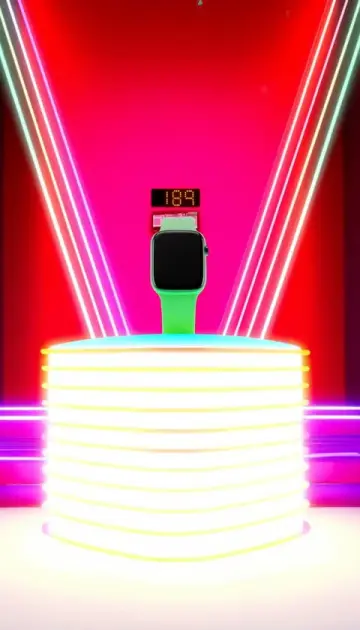 Black Friday3 credits
 Starts from one photo.Doorbuster CountdownShutters roll up, red lights flash, your deal goes live
- Black Friday3 credits
 Starts from one photo.Deal VaultA bank vault door swings open on your product
 Black Friday3 credits
 Starts from one photo.Cyber Glitch DropNeon glitch, a hard drop, your Cyber Monday deal
 Black Friday8 credits
 Starts from one photo.Black Friday DropSlam-in product drop with neon deal energy
 Black Friday3 credits
 Starts from one photo.Price Drop PopSale tags and percent badges pop around your product
 Black Friday5 credits
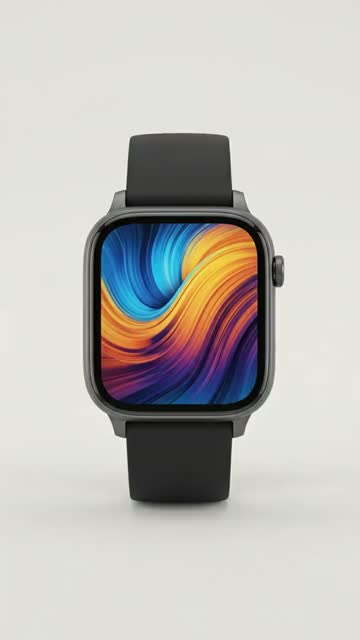 Starts from one photo.Gift Box RevealWrapping paper tears away, holiday lights glow
 Black Friday3 credits
 Starts from one photo.Ribbon WrapA satin ribbon wraps your product and ties itself into a bow

One photo in. A Black Friday video out.
- 1
Pick a template
Each card shows the model, the length and the credit price.
- 2
Upload one product photo
The photo becomes the first frame. A clean, well-lit shot with the subject fully in frame works best.
- 3
Generate and download
Review the total, generate, and download the vertical video from My Videos. Failed generations are refunded in credits.
Template details
Model, length, settings and the full example for each template.
Questions
What are Black Friday video ad templates?
Ready-made sale ad formats with the scene, camera move and lighting already written: a price tag swinging in, a doorbuster drop, a vault opening, an unboxing, a Cyber Monday glitch. You upload one product photo and the template turns it into a 9:16 video ad. You do not write a prompt.
Can the video show my sale price?
The templates keep the label that is on your photo and show at most one short word such as SALE, because video models misspell longer text. Add your exact price, code and dates in your editor after you download the video, so the offer on screen is always the one you are running.
When should I make my Black Friday ads?
Before the week itself. Black Friday is November 27, 2026 and Cyber Monday is November 30. Making the videos a week or two earlier leaves time to test a few formats and post the one that works.
What product photo works best?
A clean, well-lit photo of the product on a simple background, with the whole product in frame. The photo is the first frame of the video, so a sharp label and true colors carry into the ad.
Can I run the videos as paid ads?
Yes. Every template renders a vertical video for TikTok, Reels and Shorts, and you keep the ownership rights to the videos you generate (see our terms). Check that the result shows your product accurately before you spend on it.
Examples are real outputs of each template on AI-generated sample photos with fictional, unbranded products. Your result depends on your photo, and every generation varies. Credit prices are for the default settings; the dashboard shows the exact total before you generate. Looking for every product format? See the AI ad templates.