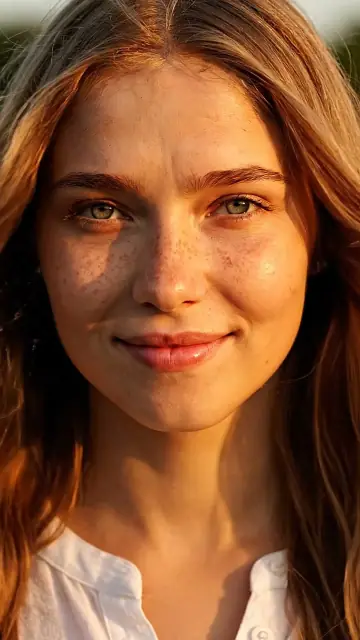
How to create an AI influencer that keeps the same face in every photo and video
Pick the traits and get four candidate faces for 8 credits, or save your own photo for free; the character sheet is 4 credits.
Design your AI influencerThe hard part of an AI influencer isn't the first good picture. It's the twentieth, when the jawline has changed, the eyes are a different color and followers start to notice. This guide explains why faces drift, the reference-based method that keeps them stable, how to do it step by step on Viralance, and the disclosure rules for a virtual creator. For a presenter that only reads scripts for ads, the AI spokesperson guide is the shorter path.
Why AI characters change from one image to the next
Every generation starts from noise and samples a new person that fits your words. "Woman in her late twenties, long wavy brown hair, green eyes" describes millions of faces, so each prompt gets a different one. Text can pin down traits; only an image can pin down identity.
Video adds a second problem: the model invents every frame after the first. A head turn reveals a side of the face the model has never seen, so it guesses, and long or fast motion gives it more chances to guess differently.
Consistency therefore comes from three things:
- An identity anchor: one sharp, front-facing portrait you always reuse.
- More angles of the same face: a reference sheet, so the model doesn't have to guess the profile.
- Short, controlled motion in video: start from an image of the character, keep clips short and avoid big turns away from the camera.
Step 1: Design the face (or use a real one with permission)
Open AI Influencer. There are two ways to start:
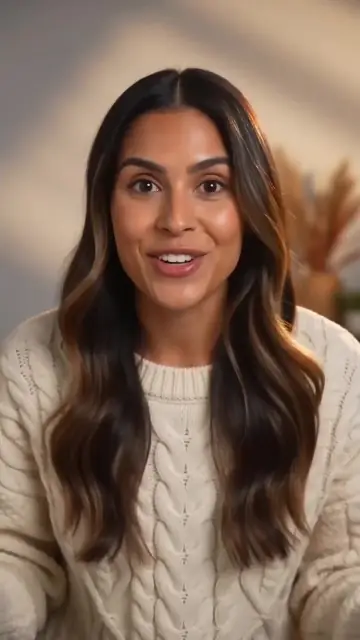
Design a new influencer. Choose gender, age range, ethnicity, skin tone, hair style and color, eye color, body type and a niche "vibe": Lifestyle, Fitness, Fashion, Beauty, Tech reviewer, Travel, Gamer, Food & cooking or Business. The vibe sets the outfit and styling so the character reads as that kind of creator. You can add up to 300 characters of extra details, such as freckles or a signature necklace. One run generates four photoreal portrait candidates (Nano Banana Pro at 2K, 2 credits each, 8 credits in total); keep your favourite. The portraits are always of a fictional, original person, facing the camera on a plain background, which is the best kind of anchor image.
Use my photo. Upload your own face, or the face of someone who has given you permission. Saving is free. This is how creators make a digital double of themselves for content they don't have time to film.
Pick the face carefully: everything later is built from it. Choose the candidate with a neutral expression, both eyes clearly visible and nothing covering the face.
Step 2: Make the character sheet
On the influencer's profile, press Make character sheet (4 credits, about a minute). It renders the same face from four angles. Every later photo shoot and supported video uses both the face and the sheet as references, which is what keeps the profile, the three-quarter view and the hairline stable.
If the sheet comes out with a different face, regenerate it before you go further; a bad sheet spreads its errors into everything else.
Step 3: Run photo shoots for the feed
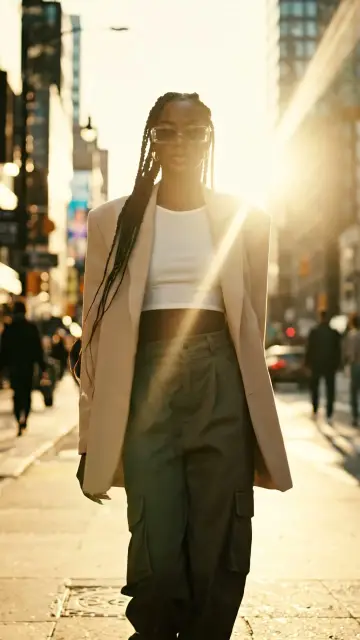
The Photo shoot section places the same person into a scene, using Nano Banana Pro's image editing with the face and sheet as references. Twelve scenes are built in:
| Lifestyle | Content formats | Product scenes |
|---|---|---|
| Cafe, Beach golden hour, Street style, Studio fashion, Travel, Cozy home, Night city | Gym mirror selfie, Podcast mic | Holding a product, Unboxing, GRWM bathroom mirror |
Each image costs 2 credits, in 9:16, 4:5, 1:1 or 16:9, and failed images are refunded. Product scenes can take a product photo, uploaded or picked from My Products, and the prompt asks the model to keep its shape, colors, label and branding. You can add a short note to steer a shot, for example "wearing a red knit sweater."
Tip: keep a few things fixed across every shoot, such as the same hairstyle, one signature accessory and a consistent color palette. Followers recognise a character by these as much as by the face.
Step 4: Turn the character into video
From the profile, Make a video opens Create Video with the character attached. What happens depends on the mode:
- Image to video: the character's face (or any photo-shoot image) becomes the first frame, on any image-to-video model. This is the most reliable route to the same face in motion, because the first frame is the real reference. Animate a photo-shoot image from its Animate button to keep the scene too.
- Reference to video: the face and the sheet are passed as references, and the model builds a new scene around the person. Viralance switches to a model that supports face references: VEO 3.1 Fast (8 seconds, 15 credits at 720p or 1080p), Kling 3.0 Pro or MiniMax H3. Seedance isn't offered here, because it rejects realistic faces as references.
Prompting for consistency in video:
She looks into the camera, smiles and gives a small wave, then picks up the coffee cup from the table. Slow push-in, warm morning light. Keep her face, hair and outfit exactly the same throughout.
- Ask for one action per clip and short durations (4–6 seconds).
- Prefer small head movements over full turns; a profile view is where faces drift most.
- Avoid hands covering the face, sunglasses and heavy motion blur.
- Keep lighting similar to the anchor portrait; extreme colored light changes skin tone.
If a clip drifts, regenerate rather than post it. One clip with a different face undoes weeks of consistency.
Step 5: Give the character a voice
A consistent influencer also needs a consistent voice. Two options:
- Talking ad: from the profile, Talking ad opens AI Actors with the character. Write a script of up to about 60 seconds, choose a voice, listen to it, then generate a lip-synced video. It costs 2 credits per second on the standard tier and 2.5 on premium, measured on the finished audio.
- Voiceover: narrate any clip with Voiceover (voiceover guide).
Pick one voice and use it every time; a different voice each week reads as a different person.
Step 6: Use the character in templates and ads
Use in a template opens the one-photo templates with the character selected, so the same face appears in trend effects and seasonal scenes without writing a prompt. Custom image opens Create Image with the character attached for anything the built-in scenes don't cover.
You can keep up to 30 characters per account, shared with AI Actors.
Disclosure and the rules for virtual creators
- Say it's AI. TikTok requires a label on realistic AI-generated content (TikTok Support), and Instagram and Facebook show AI labels and ask you to disclose photoreal AI content. Put "AI-generated creator" in the bio as well; audiences who find out later tend to feel misled.
- Sponsored posts need disclosure. The FTC's Endorsement Guides, revised in 2023, treat virtual influencers as endorsers, so paid partnerships need the same clear "ad" or "paid partnership" disclosure as a human creator's (16 CFR Part 255).
- No real people without consent. Don't design a look-alike of a celebrity or anyone else, and only use "Use my photo" with your own face or someone who has agreed. Video models refuse many look-alikes anyway (why prompts get rejected).
- No fake experiences. A virtual influencer can present a product; it should not claim to have used it for months or to have had results.
A realistic weekly workflow
- Monday: one photo shoot of 4–6 images for the feed (8–12 credits).
- Wednesday: two short image-to-video clips from the best shoot images.
- Friday: one talking clip in AI Actors for the week's main message.
- Every time: compare each new image with the anchor portrait before posting.
This keeps the character active without generating dozens of variations, and every piece starts from the same references.
Frequently asked questions
How do I keep the same face in AI-generated videos? Start every video from an image of the character (image-to-video) or pass the face and a multi-angle reference sheet to a model that supports references. Keep clips short and movements small.
Can I make an AI influencer from my own photo? Yes. In AI Influencer, choose "Use my photo" and upload your own face or one you have permission to use. Saving the character is free; photos and videos cost credits as usual.
How much does it cost to create an AI influencer on Viralance? Designing a face costs 8 credits for four candidates, the character sheet 4 credits and each photo-shoot image 2 credits. Videos cost the normal price of the model you choose, shown before you generate (pricing).
Which video model keeps faces most consistent? Image-to-video from a photo of the character is the most dependable, because the first frame is the real face. For new scenes built from references, Viralance uses VEO 3.1 Fast, Kling 3.0 Pro or MiniMax H3.
Do I have to say my influencer is AI? Platforms ask you to label realistic AI content, and in the US the FTC treats virtual influencers as endorsers, so sponsored posts need clear disclosure. Saying it in the bio is good practice too.
How many AI influencers can I create? Up to 30 characters per account.