Prompt guide
MiniMax H3 prompt guide: sound, references and 10 prompts
MiniMax H3 (Hailuo 03) and its Max and Max Turbo variants make 5, 10 or 15-second clips with native sound, from 2 credits on Max Turbo at 480p to 8 credits for 5 seconds of 4K on H3. Write them a short scene with spoken lines in quotes and the sounds you want; all three expand your prompt before rendering, so a tight brief beats a long one. They refuse more inputs than most models in our data, mostly photos of real faces, so the fixes below matter.
Updated November 7, 2026. Viralance is an independent platform that runs these models; it is not affiliated with their makers.
Versions this guide covers
| Version | Length | Resolution | Sound | Start + end frame | Credits |
|---|---|---|---|---|---|
| MiniMax H3 | 5 / 10 / 15s | 768p / 2K / 4K | Yes | Yes | 3–24 |
| MiniMax H3 Max | 5 / 10 / 15s | 480p / 768p / 1080p | Yes | Yes | 4–30 |
| MiniMax H3 Max Turbo | 5 / 10 / 15s | 480p / 768p / 1080p | Yes | Yes | 2–15 |
The prompt structure
Scene line + action beats + spoken line in quotes + sound bed + camera hint
- Scene line
- Who, where and when in one sentence: "A barista in a green apron behind a small café counter, rainy morning."
- Action beats
- Two or three beats in order, one per sentence. H3 holds 15 seconds, so a short sequence fits.
- Spoken line
- Dialogue inside double quotes with who says it. Keep it under about 12 words per 5 seconds.
- Sound bed
- Name the ambience and one or two effects: "rain on the window, milk steamer hiss". Say "no music" if you plan to add your own.
- Camera hint
- A short hint such as [pan], [zoom] or [static], which is how MiniMax writes them for H3, plus the move in words.
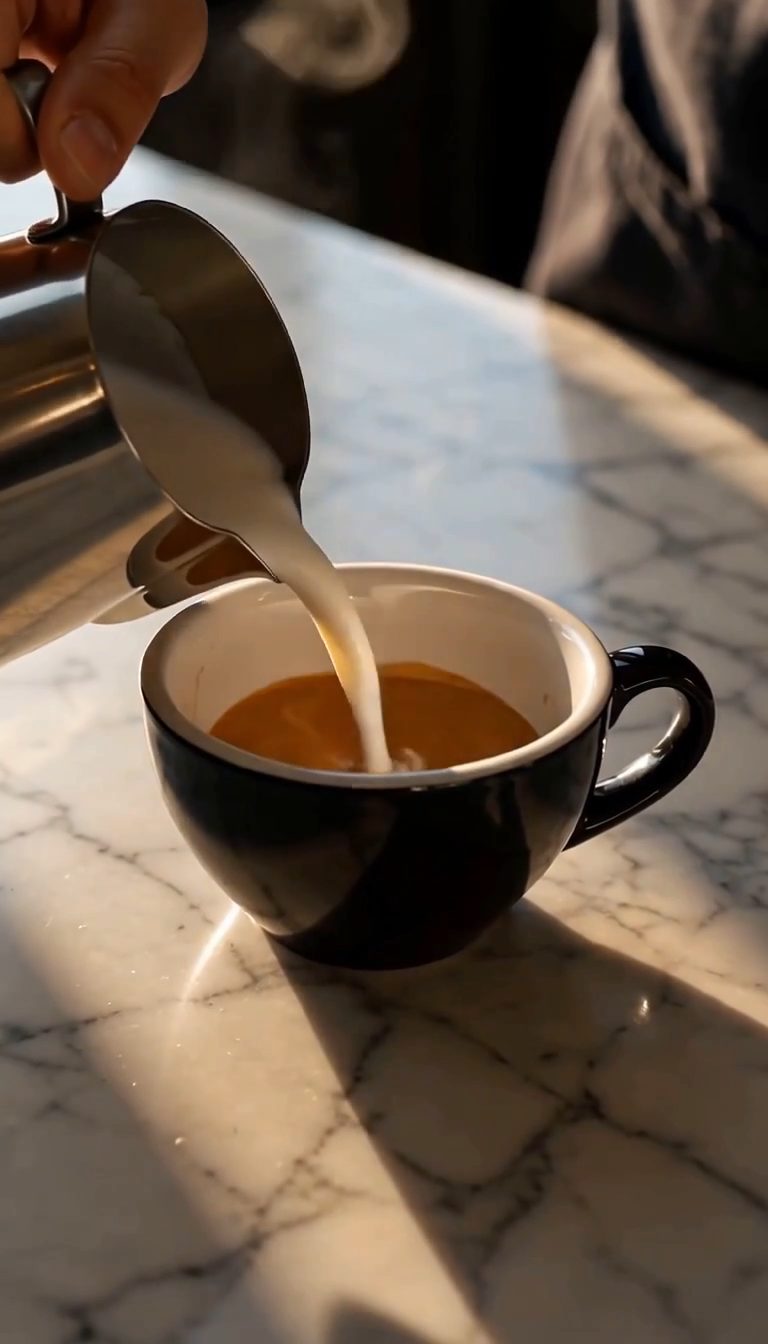
A barista in a green apron behind a small café counter on a rainy morning. She slides a cup across the counter, looks up and says "Your usual, extra hot." Rain taps on the window, the milk steamer hisses, quiet chatter. No music. [static] The camera holds a medium shot at counter height.
Three tiers, one prompt style
H3 runs at 768p, 2K or 4K (3–24 credits) and is the only one of the three with Reference mode. H3 Max (4–30 credits) and H3 Max Turbo (2–15 credits) run at 480p, 768p or 1080p; Turbo is the fastest model in our catalog and the cheap place to test a line of dialogue.
Viralance sends Max and Max Turbo with MiniMax's prompt expansion set to "balanced", so the provider adds detail to your prompt before rendering. Plain H3 gets no setting from us, and on fal its expansion defaults to "balanced" as well. In practice: state the few things that must be true (who speaks, what they say, what must not appear) and let expansion fill the rest; a long, detailed prompt is more likely to be paraphrased than followed word for word.
Writing dialogue and sound for H3
All three generate a soundtrack with the picture, and the studio has no Sound switch for them: the sound is always on, so mute the clip in your editor if you only want the picture. Quotes around spoken words are the convention fal documents for H3, and they keep the line from being read as a scene description.
- Attribute every line: the older man says, quietly, "We should go." A line with no speaker can come from anyone in frame, or from nowhere.
- One speaker per 5 seconds is the safe pace. Two speakers in 5 seconds often overlap.
- List sounds as nouns: "gravel crunch, distant gulls, wind". Adjectives like "epic" give you generic music.
- If you will add a voiceover later, write "no dialogue, no music" so the clip carries only ambience you can mix under it.
Reference mode on H3: Image 1, Image 2
In Reference mode Viralance sends your images to H3 as reference images, up to 9. H3 refers to them by position, so write "the woman from Image 1 holds the bottle from Image 2". Upload the person or character first and the product second, and keep every reference on a plain background.
A reference clip costs the same as text-to-video at that length and resolution, 3 credits for 5 seconds at 768p. Reference mode is not offered on H3 Max or Max Turbo.
15 seconds and 4K: when they are worth it
Go to 15 seconds when the scene has a beginning, middle and end, for example a line of dialogue, a reaction and a reveal. For a single action, 5 seconds is cleaner and a third of the price. 4K on H3 (8 credits for 5 seconds) is for footage you will crop or show on a large screen; for phone feeds, 768p or Max at 1080p (10 credits) looks the same once the platform compresses it.
Camera words MiniMax H3 follows
| Write | Use it for |
|---|---|
| [static] | Dialogue scenes: a still camera keeps lips and faces stable while someone speaks. |
| [zoom] | A slow zoom toward the speaker on the punchline or reveal; say "slowly" in words. |
| [pan] | Following a look or a gesture across the room; give the direction ("pan right to the door"). |
| Push in, in words | Product reveals on 15-second clips: "the camera slowly moves closer over the whole shot". |
| Over-the-shoulder | Two-person conversations; anchors who is listening and who is speaking. |
| Handheld | UGC-style selfie clips; pair it with "phone camera, natural light". |
| Low angle | Making a product or character look large; works well at 2K and 4K. |
| Wide establishing shot | The first 5 seconds of a 15-second scene, before the action moves closer. |
Start and end frames
All three H3 models take a start and an end frame in Image to video mode, at the same price as image-to-video: 3 credits for 5 seconds at 768p on H3, 2 on Max Turbo at 480p. Turn on the End frame slot, upload the last image, and use Swap if you put them in the wrong order.
The prompt should describe the change between the two frames, not either frame on its own: "the gift box lid lifts off and the ribbon falls away", "the room fills with evening light as the lamps turn on". Sound still plays over the transition, so describe it too.
- Shoot or generate both frames from the same position, with the same lens and light. A different angle forces the model to invent a camera move.
- Keep the change to one thing (lid on to lid off, day to dusk). Two changes at once blur into each other.
- Keyframes between start and end are a Kling 4.0 feature; H3 takes only the two ends.
- Use 5 seconds for a quick reveal; 15 seconds gives a slow change that can look like a timelapse.
Refused or misread prompts, and the fix
The provider rejected the uploaded photo
In our data 22.4% of H3 jobs and 14.9% of Max Turbo jobs were refused by the provider, and the refusals that named an input named the photo, typically a real face. The credits come back automatically. Use an AI-generated character image, or animate the photo on Hailuo 2.3 or Kling 3.0, which accepted photos more often. These rates reflect what users asked, not a strictness ranking.
A spoken line was refused or muted
Lines that quote songs, slogans or famous film lines can be flagged as copyrighted audio. Write your own line. Viralance retries an audio-only refusal once with sound off before marking the job failed.
The prompt names a person or brand
Describe a fictional person and an unbranded product instead. See why AI video prompts get rejected for the six common causes and rewrites.
Max Turbo added things you did not ask for
That is prompt expansion at work. Add short constraints at the end ("no other people, no text on screen, no music"), and keep the core instruction in the first sentence, where expansion is least likely to bury it.
Lips drift off the words
Shorten the line, use [static], keep the speaker facing the camera and run 5 or 10 seconds instead of 15.
10 MiniMax H3 prompts to copy
Each one opens in the studio with the model, mode and prompt filled in. Photo prompts need your own image uploaded first.
- MiniMax H3 Max Turbo · text · 5s · 768p · 3 credits
1. Café line, static dialogue
A barista in a green apron behind a small café counter on a rainy morning. She slides a cup across the counter, looks up and says "Your usual, extra hot." Rain taps on the window, the milk steamer hisses. No music. [static] Medium shot at counter height.
Cheap test of a spoken line before a higher tier.
Use this prompt - MiniMax H3 Max · text · 10s · 768p · 10 credits
2. UGC selfie review
Handheld phone selfie video. A woman in her twenties with curly hair sits in a sunlit car and holds up a small amber skincare bottle. She says "I did not expect this to absorb so fast." Natural light, slight camera shake, car interior ambience, no music.
A fictional creator and an unbranded product.
Use this prompt - MiniMax H3 · text · 5s · 4k · 8 credits
3. Product reveal at 4K
A matte black wireless speaker on a concrete plinth in a dark studio. A thin ring of light switches on around its base, then a low bass note pulses and dust lifts off the plinth. The camera slowly moves closer over the whole shot. Low angle, crisp studio light.
4K for a hero shot you may crop.
Use this prompt - MiniMax H3 · text · 10s · 768p · 6 credits
4. Sizzling street food
Close-up of a street vendor's flat grill at night: noodles, peppers and egg toss in a wok, flames flare up, steam rises into neon light. Loud sizzle, metal spatula clangs, crowd murmur. [zoom] Slow zoom into the wok.
Sound sells food: name each sound.
Use this prompt - MiniMax H3 · text · 15s · 768p · 9 credits
5. Two-person scene, 15 seconds
Two hikers reach a foggy mountain ridge. Over-the-shoulder shot from behind the first hiker. The second hiker points into the fog and says "There, see the lake?" The first one laughs and says "Finally." Wind gusts, boots on gravel. The fog clears to show a blue lake below.
Three beats fit 15 seconds; each line has a speaker.
Use this prompt - MiniMax H3 · text · 10s · 768p · 6 credits
6. Character from references
The robot from Image 1 walks into the workshop from Image 2, picks up a glowing wrench from the bench and turns it over, curious. Servo whirs, metal footsteps, workshop hum. [static] Wide shot, warm work lights.
Use Reference mode on H3 and upload the robot first, the workshop second.
Use this prompt - MiniMax H3 Max Turbo · text · 10s · 1080p · 10 credits
7. Anime rain scene
2D anime style, soft watercolor backgrounds. A boy waits at a rural bus stop in summer rain, holding a red umbrella, cicadas buzzing. The bus headlights appear around the bend and he looks up. Rain on the umbrella, distant engine. [pan] Slow pan right toward the road.
Name the style first; expansion keeps the rest consistent.
Use this prompt - MiniMax H3 · photo · 5s · 768p · 3 credits
8. Gift box opening, start to end frame
The lid lifts off the gift box by itself and the ribbon slides away, revealing the watch inside as warm light spills out. Soft paper rustle, a small chime. The table and background stay exactly as shown.
Upload a closed box as the start frame and the open box, same angle, as the end frame.
Use this prompt - MiniMax H3 Max Turbo · photo · 5s · 768p · 3 credits
9. Real estate push-in with ambience
The camera slowly moves toward the window across the living room. The walls, windows, furniture and the view stay exactly as shown. Quiet room tone, faint birdsong outside. No people, no music.
Mute the sound if the area is not actually quiet; invented ambience can mislead buyers.
Use this prompt - MiniMax H3 · text · 15s · 2k · 20 credits
10. Coastal timelapse
Sea cliffs at sunset, clouds race overhead, waves break on the rocks below and the light turns from gold to deep blue as the first stars appear. Wind and surf. Wide static shot, timelapse.
A slow 15-second change suits a timelapse.
Use this prompt
Running a MiniMax H3 prompt on Viralance
- 1
Pick the tier
Max Turbo for cheap tests, H3 Max for 1080p, H3 for 2K or 4K and for Reference mode.
- 2
Write the scene in beats
One line for who and where, then two or three action beats in order, each in its own sentence.
- 3
Add dialogue and sound
Put spoken lines in double quotes with the speaker named, then list ambience and effects.
- 4
Set the camera and length
Add a hint such as [static] or [zoom] with the move in words, and choose 5, 10 or 15 seconds to match the number of beats.
- 5
Check refusals before retrying
If the provider refuses, credits are refunded. Change one thing, usually the photo, and run again.
MiniMax H3 prompt questions
What is the difference between MiniMax H3, H3 Max and H3 Max Turbo?
H3 renders at 768p, 2K or 4K and supports Reference mode. H3 Max and Max Turbo render at 480p, 768p or 1080p; Max Turbo is the fastest and cheapest. All three make 5, 10 or 15-second clips with sound.
How do I make a character speak in MiniMax H3?
Write the spoken line inside double quotes and name who says it, for example: the barista says "Your usual, extra hot."
Why was my photo rejected on MiniMax H3?
In our records the provider refused some photo inputs, mostly ones showing a real face. Credits are refunded automatically. Use an AI-generated character, or try Hailuo 2.3 or Kling 3.0 with the photo.
Does MiniMax H3 support start and end frames?
Yes, all three H3 models take an end frame in Image to video mode at the same price as an image-to-video clip.
Does MiniMax H3 rewrite my prompt?
Yes, to a degree. H3 Max and Max Turbo run with MiniMax prompt expansion set to balanced, and plain H3 uses the provider default, which is also balanced. Expansion adds detail before rendering, so put the must-haves first and add short constraints at the end.