How to Go Viral in 2026: The Complete Playbook
Pick a trend format, add one photo and see the exact credit cost before generating.
Try a viral template"Going viral" means a video keeps getting recommended to people who don't follow you. On short-form platforms that happens when early viewers watch, rewatch, share or save it. This playbook turns that into concrete steps you can run this week, and it is honest about what nobody controls.
What the platforms actually say
- TikTok: recommendations are a per-viewer prediction based on interactions (including whether someone finishes a longer video), video information such as captions, sounds and hashtags, and lower-weighted device settings. Follower count and previous hits are "not direct factors." (TikTok Newsroom)
- Instagram Reels: Instagram says it predicts how likely you are to reshare a reel, watch it all the way through, like it and visit the audio page — and that watermarked, low-resolution or previously posted reels are made less visible. (Instagram, "Instagram Ranking Explained")
- YouTube Shorts: YouTube looks at whether people choose to watch a Short or swipe away, and shows creators a "viewed vs. swiped away" figure in analytics. (YouTube Help, Shorts discovery tips)
The common thread: the video, not the channel, earns the reach. None of the three publishes a fixed threshold, a best posting time or a required number of posts.
Step 1: Win the first second
Viewers decide quickly whether to stay, and platforms measure whether they do. A strong opening does one job, immediately:
- Show the result first — the finished dish, the transformed room, the product in use
- Name the viewer — "If you sell handmade candles…"
- State a specific, checkable claim — "This setting halves my export time" (only if true)
- Open a question the rest of the video answers
Test it: mute the video and watch only the first second on your phone. If a stranger couldn't tell what it is about, re-cut the opening.
Step 2: Give people a reason to share
In a study of New York Times articles, Jonah Berger and Katherine Milkman found that content evoking high-arousal emotions — awe, anger, anxiety — was shared more, while sadness (a low-arousal emotion) was shared less; practical usefulness and interest also predicted sharing (Journal of Marketing Research, 2012). That was news articles, not TikTok, so treat it as a guide, not a law. In practice, ask: would someone send this to a friend, and why? Useful ("save this"), surprising or impressive content gives them a reason.
Step 3: Structure it so people finish
- Hook (first 1–3 seconds): the promise
- Build: deliver on it, cut every line the viewer doesn't need
- Payoff: the reveal, answer or result — then end, don't trail off
Use vertical 9:16, keep text inside the safe area, and add captions so the video works with the sound off.
Step 4: Post original work
TikTok lists reposted content without new creative edits (for example, another app's watermark) as ineligible for the For You feed (FYF eligibility standards), and Instagram reduces the visibility of watermarked or already-posted reels. Export clean masters and post a native version per platform.
Step 5: Run small tests instead of waiting for luck
Pick one idea and make three versions that differ in one thing — usually the opening. Post them a day or more apart, then compare average watch time, full-watch rate and shares in your analytics. Keep the winner's opening style, change the next variable. Over several rounds you learn what your audience responds to; a single post proves little.
A checklist: nine patterns behind widely shared videos
There is no secret formula, but widely shared short videos tend to meet several of the conditions below. Each comes with a test you can run before you post. (This section merges our earlier "secrets of going viral" guide.)
- The opening makes the subject obvious. Test: mute the video and watch only the first second on a phone. If you can't say what it's about, lead with the result, the product or the problem.
- It creates a high-arousal emotion. In Berger and Milkman's research above, awe, anger and anxiety drove sharing more than sadness. Test: write down the one emotion the first three seconds should cause. If the answer is "none", rework the opening.
- It opens a question the viewer wants answered, such as a half-shown result or a "which one is real?" comparison. Test: check that the answer arrives before the video ends, not in "part 2". Viewers notice bait.
- Sharing it makes the sharer look good: helpful, funny or in the know. Instagram names the likelihood of a reshare as one of its most important Reels predictions. Test: finish the sentence "I'd send this to ___ because ___."
- It is specific to a real audience. "POV: your first week running a coffee cart" beats "a day in my life" because a particular group recognizes itself. Test: name the exact viewer in one line before you create anything.
- The payoff matches the hook. A reveal, punchline, answer or transformation earns the rewatch and the comment. Test: watch the last two seconds alone. Do they deliver what the first two promised?
- The timing fits a rising format or topic. No platform publishes a fixed window, so check what is growing in your region in TikTok's Creative Center, the Discover page or the Reels audio page, and add your own angle rather than copying. Test: confirm the trend is still being posted this week and that you have a version only you could make.
- It looks native to the platform: vertical 9:16, captions for muted viewers, a clean export with no other app's watermark (Step 4). Test: post the original export on each platform, not a download from another app.
- It is one of many attempts. Any single video is a draw; creators who break through usually post many ideas and double down on what their analytics show. Test: the three-version experiment in Step 5.
Make your first test post in a few minutes
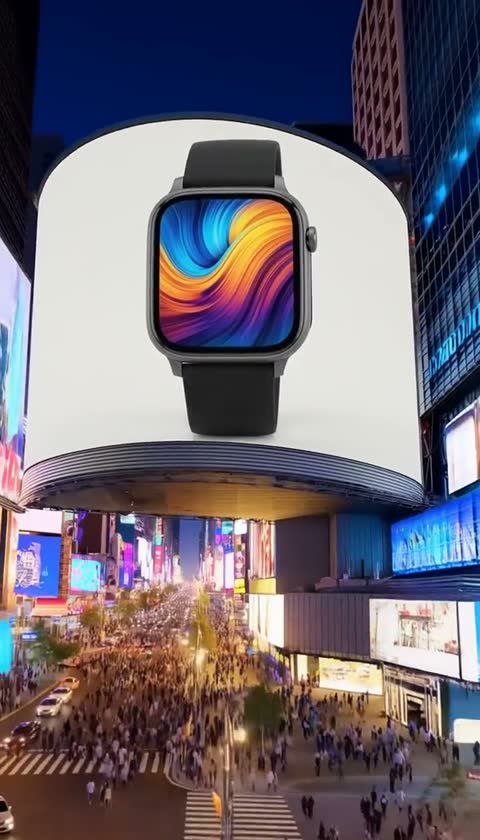
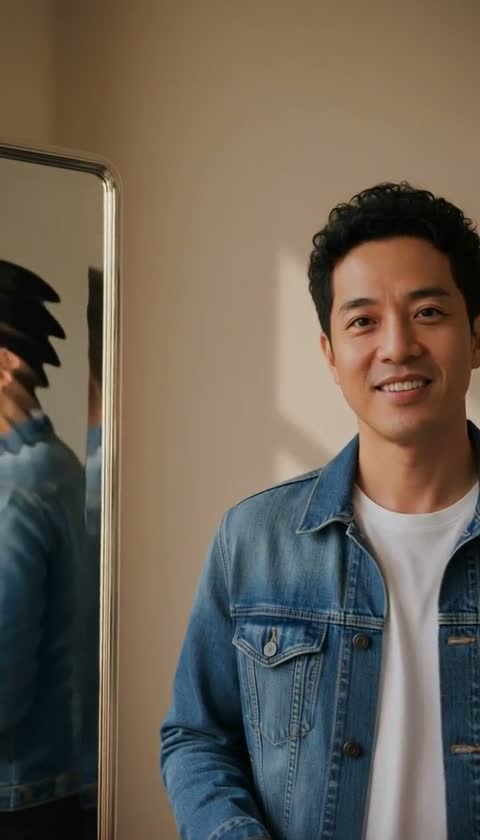
If a blank page is what stops you, start from a format instead. Viralance's one-photo templates turn one photo — a selfie, a pet or a product — into a short 9:16 trend-style clip (Red Carpet, Earth Zoom, Product Hero and others). Each template page shows the model and exact credit cost before you generate, and the 4 free credits you get after verifying your email cover one of the 3- or 4-credit templates. Nothing is posted for you: download the clip and upload it yourself.
When you have a cut ready, the video virality predictor (2 credits) gives AI feedback on the opening, possible retention risks and suggested edits. Its 0–100 score is an AI assessment, not a view forecast.
Common mistakes that kill reach
- An opening that doesn't show what the video is about
- No captions, so muted viewers leave
- Horizontal video, or reposts carrying another app's watermark
- Changing several things at once, so you can't tell what worked
- Treating one flop (or one hit) as proof
Frequently asked questions
How long should a video be to go viral? There is no official ideal length. Shorter videos are easier to finish, but a longer video that holds attention can outperform a short one. Test lengths on your own account.
Do I need a big following to go viral? No. TikTok says follower count is not a direct ranking factor, and each video is recommended based on how viewers respond.
Can AI-generated videos go viral? Yes, if people want to watch and share them. Follow each platform's disclosure rules — TikTok requires labeling realistic AI-generated content (TikTok support).
Why do some videos go viral and near-identical ones flop? Small differences in the opening and timing change how the first viewers respond, and recommendations build on that response. There is also plain randomness in who sees a video first.
Is there a best time to post? Check when your followers are active in your platform analytics (on TikTok: Analytics → Followers). It matters less than the video itself.
How do I find trends early? Check rising sounds and hashtags in your region's Creative Center and Discover pages. Viralance's trends page gives daily AI-compiled summaries of trending sounds, hashtags and formats for five regions (verify them in the app before building on one); a preview is free and full access costs 10 credits for 7 days.
How often should I post? No platform publishes a required frequency. Choose a cadence you can sustain while still reviewing results — consistency helps you learn faster.
Keep going — related questions
- Will my video go viral? What an AI review can tell you
- How does the TikTok algorithm decide who sees my video?
- How do I make a video from scratch with AI?
Ready for your first test post? Try a one-photo template — add one photo and see the exact credit cost before you generate.